

If you’re looking for the best Jobber alternatives in 2026, there are several strong options available for contractors and service businesses. Jobber is one of the most well-known field service platforms, but it may not be the best fit for every company depending on your budget, team size, workflow, and the features you need.
The right software should make it easier to manage customers, estimates, scheduling, jobs, invoices, payments, and day-to-day operations without adding unnecessary complexity or cost. If you’re looking for more ways to improve your day-to-day operations, check out our 5 essential field service tips.
In this guide, we compare five of the best Jobber alternatives for contractors: Housecall Pro, Clientility, Joist, Kickserv, and FieldPulse. We’ll look at pricing, key features, strengths, weaknesses, and who each platform is best suited for so you can choose the right option for your business.
What Are the Best Jobber Alternatives in 2026?
The best Jobber alternative depends on your budget, business size, and the tools you need. Clientility takes our top spot for 2026 because it offers an affordable way for contractors to access a broad range of core features, including estimating, scheduling, invoicing, payments, customer management, automated follow-ups, a client portal, and job costing. One of its biggest advantages is that many of these core tools are included within its plans without requiring multiple upgrades or paid add-ons. Early online reviews have also been positive, particularly around affordability, ease of use, and the range of features available.
Joist comes in second and is a strong choice for contractors who want something simple and affordable. It focuses primarily on estimates, invoices, payments, and keeping jobs organized, making it a good starting point for businesses that don’t need a more extensive field service management platform.
Housecall Pro takes third place. It comes at a higher price, but it is an established field service software platform with a strong set of tools, particularly for businesses that need scheduling, dispatching, online booking, invoicing, and payments.
Kickserv and FieldPulse are also worth considering, especially for contractors looking for different workflows, team management options, and field service tools.
Jobber Alternatives Comparison
Here’s a quick comparison of the five Jobber alternatives in this guide, including what each platform is best suited for and how they differ in pricing and features.
| Software | Best For | Starting Price | Key Strength |
|---|---|---|---|
| Clientility | Small-to-medium, growing service businesses | $45/month | Affordable all-in-one platform with strong core features |
| Joist | Contractors focused on estimates and invoices | $10/month* | Simple and affordable estimating and invoicing |
| Housecall Pro | Established home service businesses | $79/month | Scheduling, dispatching, and field service management |
| Kickserv | Small service teams | $75/month | Straightforward job and field service management |
| FieldPulse | Growing service businesses needing flexibility | Contact for pricing | Customizable field service workflows |
*Joist’s entry-level plan is limited to up to five documents per month, so contractors who create more estimates and invoices may need a higher-tier plan.
All prices are listed in USD and were checked on September 4, 2026.
1. Clientility – Best Overall Jobber Alternative for Small to Medium Contractors
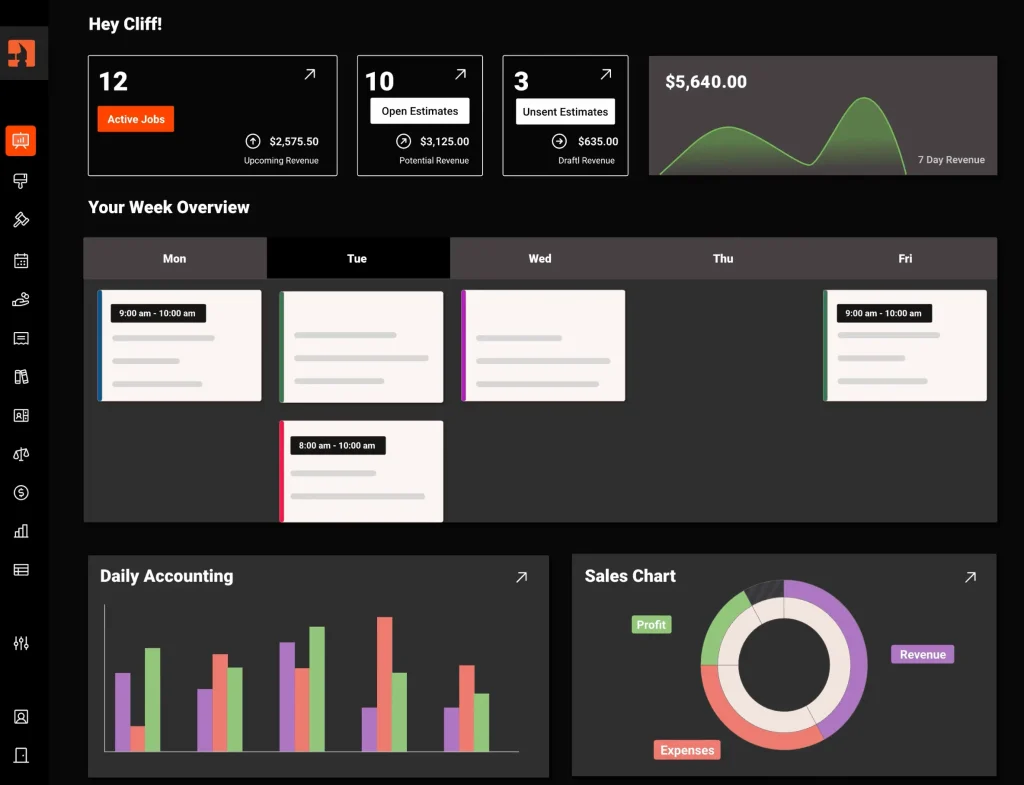
Clientility takes our top spot as the best overall Jobber alternative for 2026, especially for small to medium-sized contractors and growing service businesses that want strong core features without moving into expensive higher-tier plans.
Why We Ranked Clientility #1
What stands out most about Clientility is the amount of functionality included for the price. Plans start at $45 per month, and the platform includes many of the tools contractors typically need to manage work from the first customer inquiry through to final payment.
That includes lead management, estimates, automated follow-ups, scheduling, job management, invoicing, payments, customer communication, a client portal, job costing, expense tracking, and QuickBooks integration.
One of the biggest advantages is that Clientility does not heavily separate its core functionality across multiple expensive plans or require numerous add-ons just to access everyday business tools. For smaller contractors and growing companies, that can make the platform easier to budget for as the business expands.
Its estimating workflow is also one of the areas we found particularly useful. Contractors can build professional estimates, collect approvals and signatures, manage site visits, and automatically follow up with customers who have not responded. Once an estimate becomes a job, the same platform can continue handling scheduling, change orders, milestone payments, invoicing, and payment collection.
Clientility is also designed specifically around contractor and service-business workflows rather than functioning as a general-purpose CRM. That makes it relevant for businesses such as general contractors, electricians, plumbers, HVAC companies, painters, landscapers, cleaners, renovation companies, and other field service businesses.
The main drawback is that Clientility is still a newer platform compared with Jobber and Housecall Pro. Its third-party integration ecosystem is smaller, and some features are still being expanded. However, for businesses that care more about having the core tools they use every day in one affordable system, we think the overall value is difficult to ignore.
Clientility Pricing
Clientility starts at $45 per month for the Individual plan, which is designed for solo contractors. The Team plan starts at $75 per month and is better suited to companies with employees or growing crews. You can view the latest plan details on the Clientility pricing page.
A 14-day free trial is also available without requiring a credit card.
Key Clientility Features
- Lead and customer management
- Professional estimates and online signatures
- Automated estimate follow-ups
- Scheduling and team calendars
- Job management
- Site visits
- Change orders
- Invoicing and online payments
- Milestone payments
- Client portal
- Job costing and profitability tracking
- Expense tracking
- QuickBooks integration
- Customer review and feedback tools
- Team permissions
- Mobile app
Clientility Pros
- Affordable starting price
- Strong feature set for the price
- Many core tools included within the main plan
- Good estimating and follow-up functionality
- Built-in job costing and expense tracking
- Client portal and customer communication tools
- QuickBooks integration
- Designed specifically for contractors and service businesses
Clientility Cons
- Newer platform than Jobber and Housecall Pro
- Smaller third-party integration ecosystem
- Some features are still being expanded
Best for: Small to medium-sized contractors and growing service businesses that want affordable all-in-one contractor software for estimating, scheduling, job management, invoicing, payments, and customer management.
* Read our full Clientility review for 2026.
2. Joist — Best for Simple Estimating and Invoicing
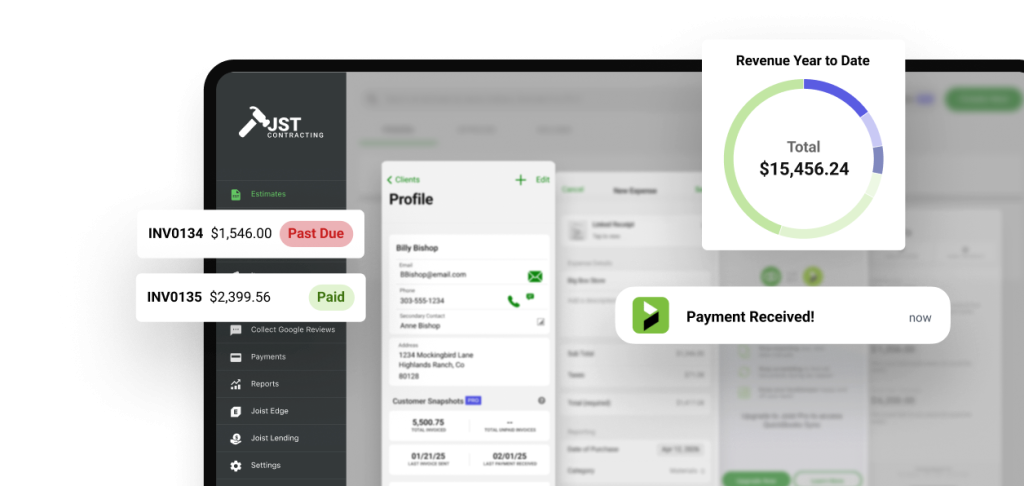
*Joist image
Joist takes second place on our list of the best Jobber alternatives for contractors in 2026. It is a strong option for solo contractors and smaller service businesses that want an affordable, easy-to-use system focused primarily on estimates, invoices, payments, and basic job organization.
Why We Ranked Joist #2
The biggest advantage of Joist is its simplicity. Contractors can create professional estimates, convert approved estimates into invoices, collect online payments, request deposits, and keep customer information organized without needing to learn a large field service management platform.
Joist has also expanded beyond basic estimating and invoicing. Depending on the plan, contractors can access features such as digital signatures, work orders, sales reporting, change orders, customer records, and job organization.
We ranked Joist second because it offers a lot of value at a low starting price. It is especially appealing to solo contractors who mainly want a straightforward way to move a customer from estimate to payment.
Joist Pricing
Joist starts at $10 per month for the Basics plan, but this plan is limited to five documents per month, including estimates and invoices. This can work well for contractors who only send a small number of documents each month, but busier businesses will likely need to upgrade.
The Pro plan increases the allowance to unlimited documents and adds additional tools such as work orders, logo display, branded documents, and client activity tracking. Higher-tier plans include features such as change orders, reporting, and more advanced job management capabilities.
Joist also offers a 14-day free trial with no credit card required. You can view the latest plan details and pricing on the Joist pricing page.
Key Joist Features
- Estimates and invoices
- Online payments
- Digital signatures
- Customer management
- Work orders on eligible plans
- Expense tracking
- Change orders on higher plans
- Mobile and web access
- Job organization
Joist Pros
- Affordable starting price
- Simple interface for contractors
- Estimating and invoicing tools
- Easy estimate-to-payment workflow
- Online payments and deposits
- Good fit for solo contractors and small businesses
Joist Cons
- Basics plan is limited to five documents per month
- Some useful features require higher-tier plans
- Less advanced team management and dispatching than full field service platforms
- Not as comprehensive for growing service businesses with more complex workflows
Best for: Solo contractors and small service businesses looking for affordable estimating, invoicing, payments, and basic job management without the complexity of a larger field service software platform.
3. Housecall Pro — Best for Scheduling and Dispatching
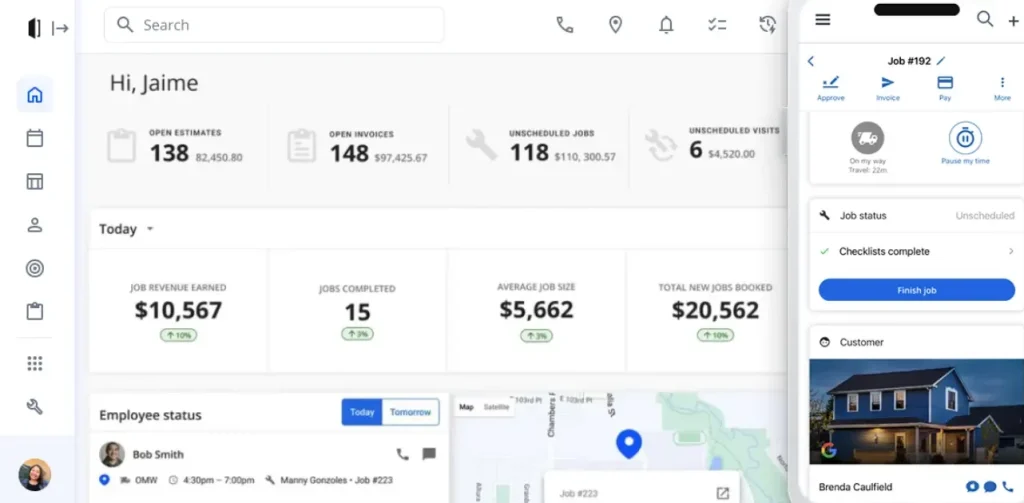
Housecall Pro takes third place on our list of the best Jobber alternatives for contractors in 2026. It is one of the more established field service software platforms and is especially well suited to home service businesses that want strong scheduling, dispatching, invoicing, and customer management tools.
Why We Ranked Housecall Pro #3
Housecall Pro stands out for its scheduling and dispatching capabilities. Businesses can assign technicians to jobs, manage calendars, communicate with customers, send estimates and invoices, collect payments, and handle online bookings from one platform.
It also offers a polished mobile app and a wide range of tools designed specifically for home service businesses such as HVAC, plumbing, electrical, cleaning, landscaping, and similar trades.
Among the Jobber alternatives we compared, Housecall Pro ranks third mainly because of its higher starting price compared with Clientility and Joist. The platform offers a strong feature set, but some advanced tools are limited to higher plans or available as add-ons. For businesses that rely heavily on dispatching technicians and managing a larger field team, however, the additional cost may be worthwhile.
Housecall Pro Pricing
Housecall Pro’s Basic plan starts at $79 per month when billed monthly for one user. Higher-tier plans add more users and additional functionality for growing teams.
Housecall Pro also offers a 14-day free trial with no credit card required. You can view the latest plans, pricing, and feature breakdown on the Housecall Pro pricing page.
Key Housecall Pro Features
- Scheduling and dispatching
- Online booking
- Estimates
- Invoicing and online payments
- Customer management
- Automated invoice reminders
- Review management
- Mobile app for field teams
- Price book
- Business reporting
- QuickBooks integration on eligible plans
Housecall Pro Pros
- Strong scheduling and dispatching tools
- Established field service platform
- Good mobile experience
- Online booking and payments
- Useful tools for managing technicians in the field
- Designed specifically for home service businesses
Housecall Pro Cons
- Higher monthly starting price than some alternatives
- Some features require higher-tier plans
- Certain advanced tools are available as paid add-ons
- May offer more functionality than a solo contractor actually needs
Best for: Home service businesses that prioritize scheduling, dispatching, technician management, online booking, and a mature field service software platform.
4. Kickserv — Best for Small Service Teams
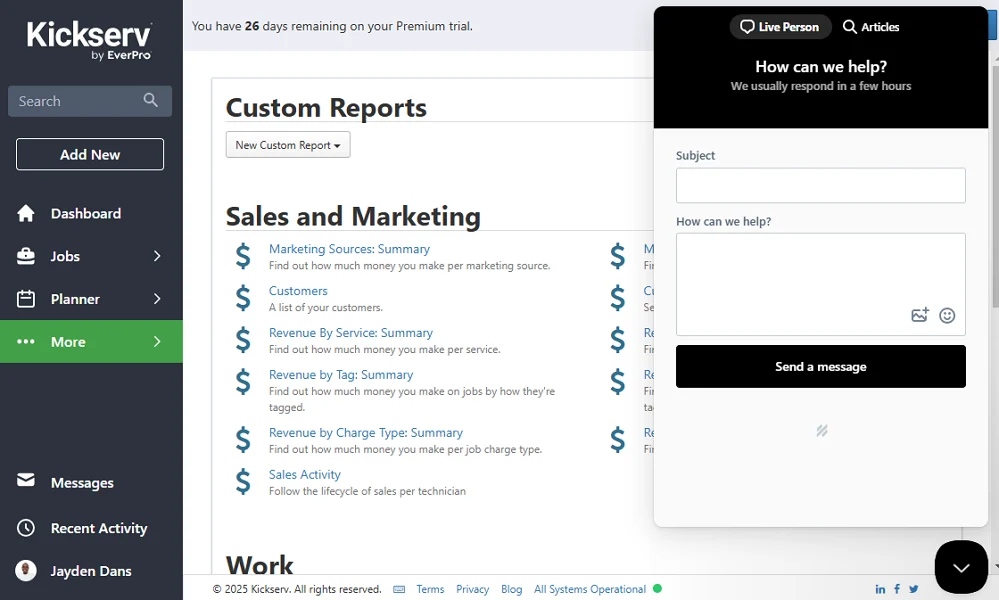
Kickserv takes fourth place on our list of the best Jobber alternatives for contractors in 2026. It is a field service management platform designed to help service businesses manage customers, estimates, jobs, scheduling, invoices, payments, and technicians from one system.
Why We Ranked Kickserv #4
Kickserv offers a solid balance of field service features and team management tools, making it particularly useful for small service businesses with multiple employees. Its Start plan includes up to five users, which can make it an attractive option for contractors who need several team members using the software without paying separately for every user.
The platform covers many of the everyday workflows a service business needs. Contractors can manage customer information, create and send estimates, schedule jobs, track work in progress, send invoices, accept payments, and communicate with customers. Kickserv also offers mobile apps so technicians can access job information while working in the field.
Among the Jobber alternatives in this guide, Kickserv stands out for including tools such as automated email and text reminders, time tracking, expense tracking, business reports, and QuickBooks Online integration in its Start plan.
However, some of Kickserv’s stronger field management features require a higher-priced plan. For example, dispatch mapping, GPS check-ins, custom fields, and custom reporting are included with the Run plan rather than the entry-level Start plan.
Kickserv Pricing
Kickserv’s Start plan costs $75 per month and includes up to five users. It includes features such as automated customer reminders, time tracking, expense tracking, and QuickBooks Online integration.
The Run plan costs $149 per month for up to 10 users and adds features including dispatch mapping, GPS check-ins, custom fields, and custom reports. Larger businesses can also choose the Scale plan, which supports up to 20 users.
Kickserv offers a 30-day free trial. You can view the latest plans and feature breakdown on the Kickserv pricing page.
Key Kickserv Features
- Customer management
- Estimates and invoices
- Job scheduling
- Online payments
- Automated email and text reminders
- Time and expense tracking
- Customer portal
- Mobile app
- Business reporting
- QuickBooks Online integration
- Dispatch mapping on eligible plans
- GPS check-ins on eligible plans
Kickserv Pros
- Includes five users with the Start plan
- Strong core field service management tools
- Time and expense tracking
- Automated customer reminders
- QuickBooks integration
- Mobile access for field technicians
Kickserv Cons
- Advanced dispatching features require a higher plan
- Growing teams may need to move to the more expensive Run or Scale plans
Best for: Small service businesses with multiple employees that want customer management, scheduling, estimating, invoicing, payments, and team tools in one field service platform.
5. FieldPulse — Best for Customizable Field Service Workflows
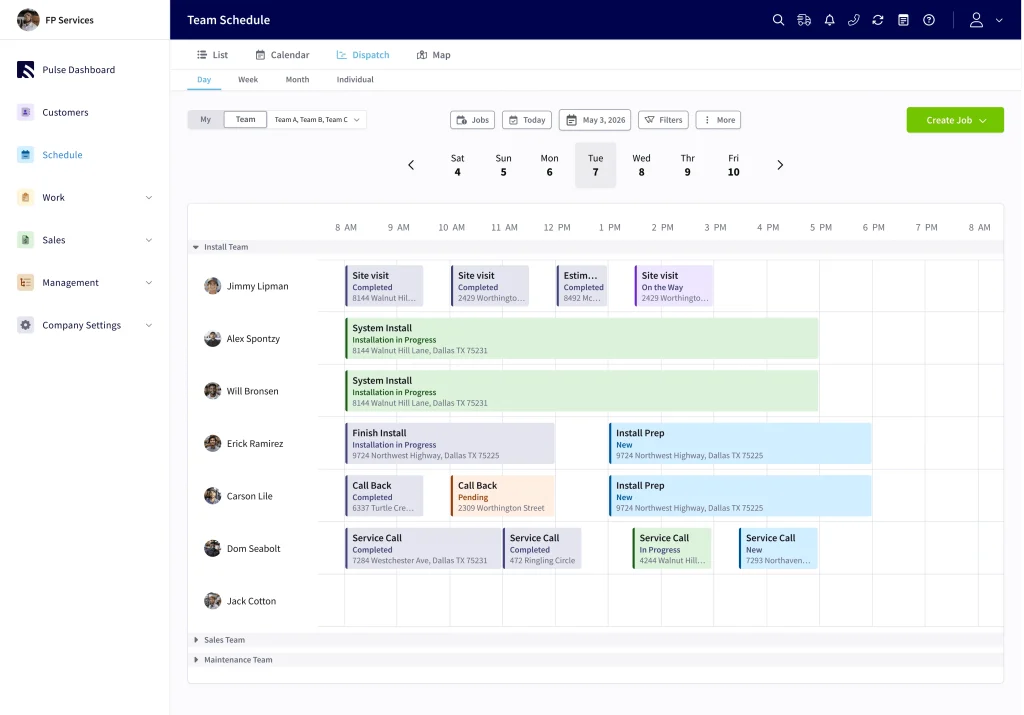
FieldPulse takes fifth place on our list of the best Jobber alternatives for contractors in 2026. It is a full field service management platform built for service businesses that want strong scheduling, dispatching, customer management, estimating, invoicing, workflow automation, and job management tools.
Why We Ranked FieldPulse #5
FieldPulse stands out for its flexibility. The platform gives businesses a broad range of tools for managing both office operations and technicians in the field, including scheduling and dispatching, work orders, estimates and invoices, project management, customer management, mobile access, and workflow automation.
Its scheduling tools are particularly useful for businesses managing multiple technicians. Teams can use a visual calendar, manage dispatching, and optimize routes between appointments.
Among the Jobber alternatives we compared, FieldPulse is one of the more customizable options. It can be a good fit for growing businesses with more complex workflows that want to tailor their field service software around how their team operates.
We ranked FieldPulse fifth mainly because its pricing is less transparent than the other platforms in this guide. Instead of publishing a standard monthly starting price, FieldPulse uses seat-based pricing and provides businesses with a custom quote based on their team size and requirements. That makes it harder for smaller contractors to quickly compare costs before speaking with the company.
FieldPulse Pricing
FieldPulse does not publicly list a fixed monthly starting price. Pricing is seat-based and customized to your team, with different access levels available depending on what each employee needs.
Its Essentials package includes core tools such as customer management, scheduling and dispatching, work order management, estimates and invoices, mobile access, workflow automation, project management, and QuickBooks sync.
Professional and Enterprise packages add additional capabilities for businesses with more advanced requirements.
Key FieldPulse Features
- Scheduling and dispatching
- Customer management
- Estimates and invoices
- Work order management
- Mobile app
- Customer portal
- Job costing
- Pricebook
- QuickBooks integration
- Route optimization
- Reporting and dashboards
FieldPulse Pros
- Strong scheduling and dispatching tools
- Highly customizable workflows
- Broad field service management feature set
- Customer portal and online booking
- Project and work order management
- QuickBooks integration
- Good fit for growing service businesses
FieldPulse Cons
- No publicly listed starting price
- Requires contacting FieldPulse for a custom quote
- Seat-based pricing may make costs harder to predict before speaking with sales
- May be more software than a solo contractor or very small business needs
Best for: Growing service businesses that want customizable field service software with strong scheduling, dispatching, workflow automation, and team management capabilities.
Which Jobber Alternative Is Best for Your Business?
The best Jobber alternative will depend on the size of your business, your budget, and which features matter most to your day-to-day workflow.
For small to medium-sized contractors and growing service businesses, Clientility is our top overall choice because it combines affordable pricing with a broad range of core field service tools without requiring numerous add-ons or expensive plan upgrades.
Joist is a strong option for solo contractors and smaller businesses that mainly need simple estimating, invoicing, and payment tools. Housecall Pro is better suited to established home service businesses that place a greater emphasis on scheduling and dispatching. Kickserv is worth considering for small teams that want multiple users included in the plan, while FieldPulse is a good fit for growing businesses that want more customizable workflows and advanced field service management tools.
Ultimately, the right choice comes down to how much functionality your business needs today and how much room you want the software to give you as your company grows.
Frequently Asked Questions:
What is the best Jobber alternative in 2026?
For small- to medium-sized contractors and growing service businesses, Clientility is our top overall Jobber alternative for 2026. It combines estimating, scheduling, job management, invoicing, payments, customer management, job costing, and other core tools at an affordable starting price.
Is there a cheaper alternative to Jobber?
Yes. Several Jobber alternatives offer lower starting prices depending on the features your business needs. Joist starts at $10 per month, although its entry-level plan is limited to up to five documents per month.
Clientility starts at $45 per month and includes a broader set of field service tools for contractors who need more than basic estimating and invoicing.
What should I look for when choosing a Jobber alternative?
Look at more than just the monthly price. Consider estimating, invoicing, scheduling, dispatching, payments, job management, mobile access, customer management, integrations, team features, and whether important tools require higher-priced plans or additional add-ons.
Which Jobber competitor is best for scheduling and dispatching?
Housecall Pro is a great option for businesses that prioritize scheduling, technician dispatching, online booking, and managing field teams.