

Managing a field service business can become complicated quickly. Companies must organize customer appointments, assign technicians, respond to emergencies, and keep customers updated throughout the day.
When these responsibilities are managed through paper calendars, spreadsheets, phone calls, and text messages, important information can easily become lost or outdated.
Field service scheduling software brings scheduling, customer reminders, and job management into one centralized platform. It gives office employees and field technicians access to the same information, helping the business complete more work with fewer administrative problems.
In this guide, we explain how service scheduling technology improves business efficiency and examine four software options:
What is field service scheduling software?
Field service scheduling software helps businesses schedule appointments and assign technicians, contractors, or crews to customer jobs.
A basic scheduling platform may provide a shared calendar and appointment reminders. More comprehensive field service management software can also include:
- Assigning technicians
- Customer records
- Estimates and invoices
- Payment collection
- Mobile app
- Time tracking
- Business reporting
The purpose of this software is to connect the office, field employees, and customers. When an appointment changes, everyone can receive the latest information without relying on manual phone calls or disconnected messages.
How field service scheduling software improves efficiency
1. Centralizes scheduling information
Managing appointments through multiple calendars can lead to conflicts, missed jobs, and confusion about employee availability.
Field service scheduling software gives technicians a central calendar where they can view upcoming work, employee schedules, unassigned jobs, and appointment statuses.
Many platforms also provide drag-and-drop controls. If a technician becomes unavailable or a customer requests a different time, the dispatcher can move the appointment without rebuilding the schedule.
A centralized system helps prevent different employees from working with conflicting or outdated information.
2. Simplifies last-minute changes
Field service schedules rarely remain unchanged. Jobs can take longer than expected, customers may cancel, and emergency calls can require immediate attention.
Field service software gives office employees a real-time view of scheduled and active work. Dispatchers can move appointments, reassign employees, and communicate changes without creating an entirely new schedule.
This flexibility helps the company respond to unexpected events while minimizing disruption to other customers.
3. Improves communication with technicians
Technicians need more than a customer’s address. They may also need access to job instructions, service history, photos, estimates, and previous invoices.
A mobile field service app can give employees access to this information on the go.
From the field, technicians may also be able to:
- Update job statuses
- Track working time
- Upload photos
- Create estimates
- Collect signatures
- Send invoices
- Accept payments
This reduces the amount of information that office employees must communicate manually.
4. Keeps customers informed
Customers want to know when their technician will arrive and whether an appointment has changed.
Field service scheduling software can automatically send:
- Appointment confirmations
- Service reminders
- Rescheduling notices
- Job-completion updates
- Invoice notifications
- Payment reminders
Consistent communication can reduce missed appointments and make the company appear more organized and professional.
5. Reduces administrative work
Without an integrated system, employees may enter the same customer and job information several times.
For example, the office might enter a customer’s details into a calendar, prepare an invoice in accounting software, and then record the payment somewhere else.
A complete field service management system can connect these steps. An approved estimate can become a scheduled job, and a completed job can become an invoice.
Reducing duplicate data entry saves time and decreases the risk of errors.
Signs your business needs scheduling software
A company may benefit from field service scheduling software if:
- Appointments are regularly missed or duplicated
- Employees depend on paper schedules
- Technicians repeatedly call the office for information
- Customers do not receive consistent updates
- Information is stored across several systems
- Creating invoices requires duplicate data entry
- Managers cannot easily measure job profitability
Companies do not need a large workforce to benefit. A solo contractor may use scheduling software to reduce administration, while a larger company may use it to coordinate several crews and locations.
Field service scheduling software options to consider
The following platforms offer different combinations of scheduling, customer management, and financial tools.
| Software | Scheduling and dispatch | Estimates, invoices and payments | Customer communication |
|---|---|---|---|
| Jobber | Scheduling, technician assignments, and route optimization | Creates quotes and invoices and accepts customer payments | Automated notifications and an online client hub |
| Clientility | Job scheduling, site visits, and technician assignments | Creates estimates and invoices, collects payments, and supports milestone payments | Appointment reminders, project updates and a customer portal |
| Housecall Pro | Scheduling, recurring jobs, and technician dispatching | Estimates, invoices and mobile payment collection | Automated reminders and “on my way” notifications |
| ServiceTitan | Advanced dispatching, technician matching, route optimization and capacity planning | Estimates, invoices, payments and job costing | Appointment confirmations and real-time service updates |
1. Jobber
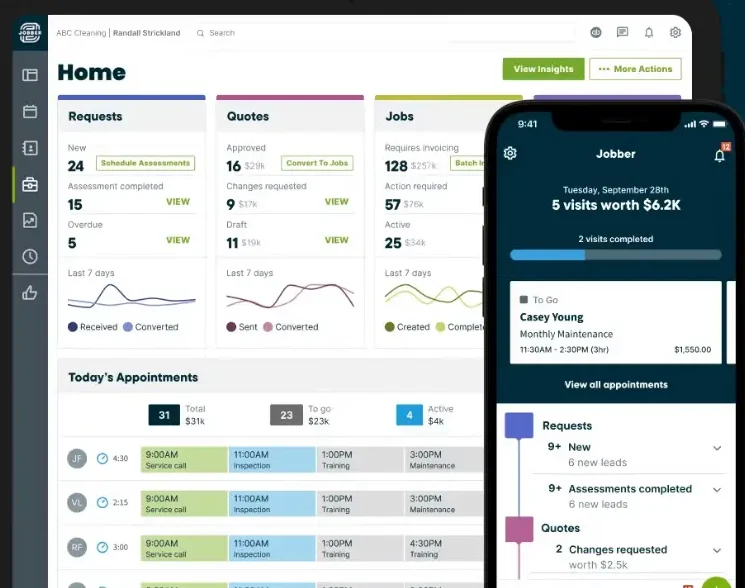
Jobber is a field service management platform designed for small and growing service businesses. It combines job scheduling, customer management, quoting, invoicing, and payment in one system.
Its calendar provides daily, weekly, and monthly views. Office employees can schedule appointments, assign technicians, and reschedule work using drag-and-drop controls.
Other Jobber features include:
- Job scheduling and technician assignments
- Route planning and GPS tracking
- Customer records
- Quotes and invoices
- Online payment collection
- Automated customer reminders
- Mobile access for field employees
- Customer hub
Jobber pricing
Jobber’s Core plan starts at $49 per month with month-to-month billing.
Pricing and included features can change, so businesses should review Jobber’s official pricing page before selecting a plan.
2. Clientility
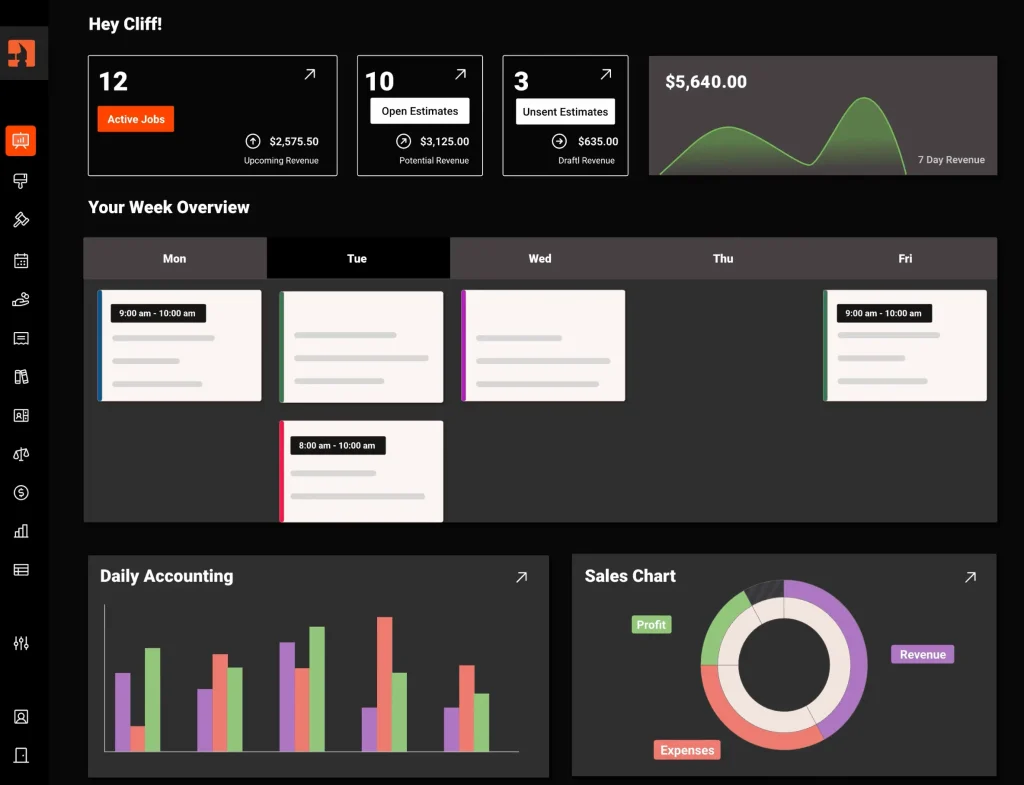
Clientility is field service management software for independent contractors and growing service businesses. It brings estimating, invoicing, payment collection, scheduling, technician assignments, and customer reminders into one platform.
Businesses can use Clientility to schedule jobs and site visits, assign technicians, and move jobs using a drag-and-drop calendar. Customers can receive automatic appointment reminders and project updates, helping them stay informed throughout the service process.
Clientility also supports milestone payments. This allows a contractor to divide a project into stages and collect payment as each milestone is completed. It can be particularly useful for renovations, roofing, landscaping, painting, and other projects completed over several phases.
Clientility’s features include:
- Job and site-visit scheduling
- Technician assignments
- Estimates and invoices
- Customer payment collection
- Milestone payments
- Change orders
- Appointment reminders
- Job costing and reporting
- Customer portal
Clientility pricing
Clientility’s Individual plan starts at $45 per month. A 14-day free trial is available.
Prices and features may change, so businesses should confirm current details on Clientility’s official pricing page.
3. Housecall Pro
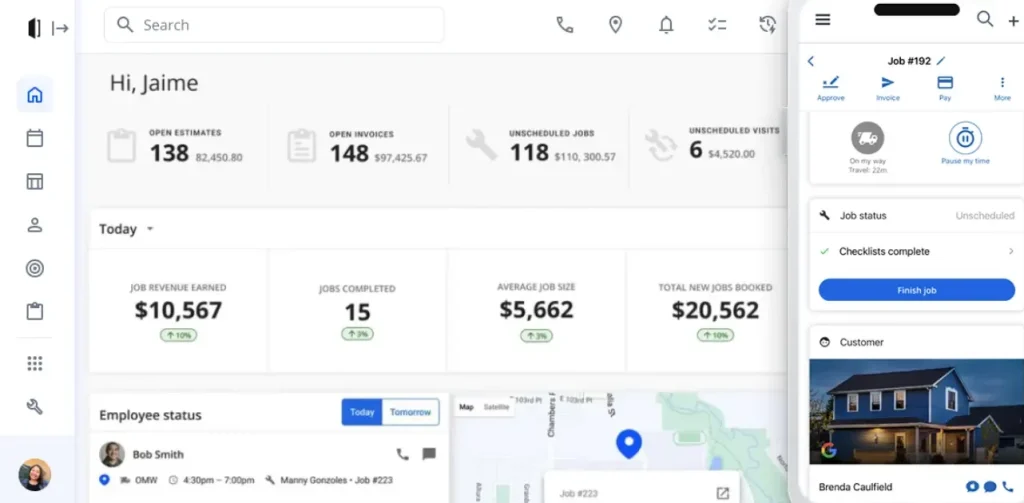
Housecall Pro is field service management software designed for home-service businesses, including HVAC, plumbing, electrical, cleaning, landscaping, pest control, and appliance repair companies.
Its drag-and-drop calendar helps businesses schedule jobs and make last-minute adjustments.
Housecall Pro can automatically send appointment reminders and “on my way” notifications, helping customers stay informed about upcoming visits and technician arrival times.
Housecall Pro’s features include:
- Drag-and-drop job scheduling
- Technician assignments
- Online customer booking
- Route mapping
- Automated appointment reminders
- Estimates and invoices
- Customer payment collection
- Mobile access for field employees
Housecall Pro pricing
Housecall Pro’s Basic plan starts at $79 per month with monthly billing. A 14-day free trial is available.
Pricing and included features may change, so businesses should review Housecall Pro’s official pricing page.
4. ServiceTitan
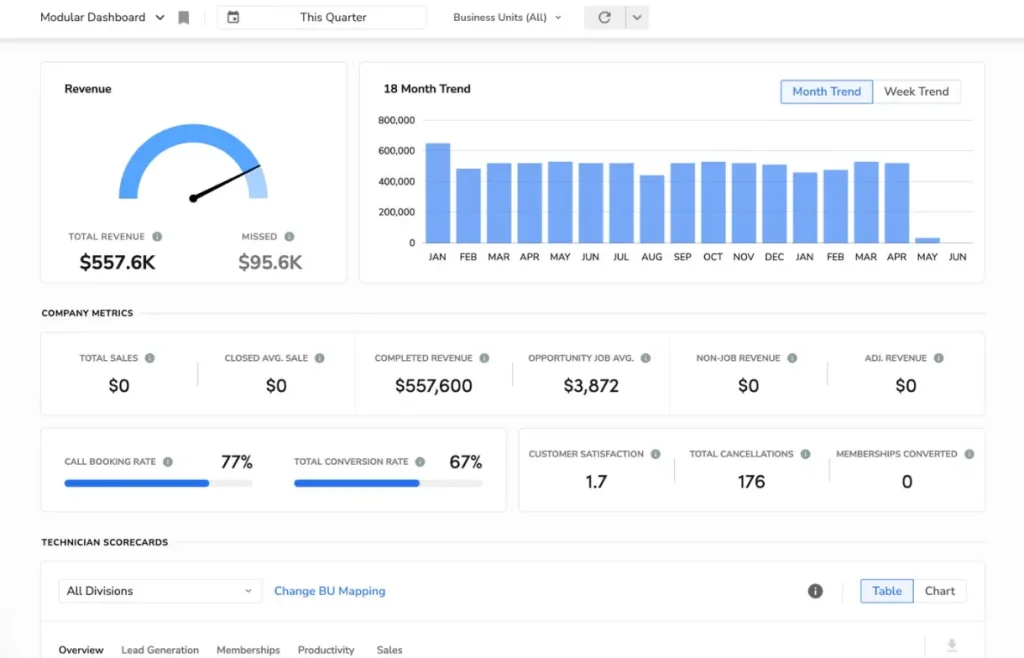
ServiceTitan is field service management software created for established residential and commercial trade businesses. It supports industries such as HVAC, plumbing, electrical work, roofing, landscaping, pest control, and garage-door services.
Its dispatch board gives office employees a central view of technicians, appointments, and job statuses. Dispatchers can extend, shorten, move, or reassign appointments when schedules change.
ServiceTitan’s features include:
- Job scheduling and dispatching
- Technician assignments
- Route optimization
- Technician location tracking
- Customer appointment confirmations
- Estimates and invoices
- Payment collection
- Mobile access for technicians
ServiceTitan pricing
ServiceTitan does not publish a standard starting price for its primary field service platform. Businesses must request a demonstration and customized quote based on their size, required features, and operational needs.
Companies should ask about implementation, training, additional users, optional features, and contract terms when requesting a quote.
How to Choose the Right Field Service Scheduling Software
The right field service scheduling software depends on your company’s size, industry, workflow, and budget. Before selecting a platform, identify the scheduling and administrative problems you need it to solve.
Consider the following factors when comparing your options.
Scheduling requirements
Determine whether your business schedules one-time appointments, recurring services, emergency calls, or site visits. Make sure the platform can support the types of jobs your company regularly completes.
Number of users
Count everyone who will need access, including office employees, dispatchers, technicians, contractors, and managers.
Some platforms charge for each user, while others include a specific number of users in each plan. Consider how the cost may change as your team grows.
Mobile capabilities
Field technicians may need to:
- View their schedules
- Access customer information
- Read job instructions
- Update job statuses
- Upload photographs
- Create estimates
- Collect signatures
- Send invoices
- Accept payments
Test the mobile application to make sure it is easy for employees to use while working away from the office.
Customer communication
Look for automated appointment confirmations, reminders, technician arrival messages, and project updates. These features can reduce missed appointments and create a more professional customer experience.
Estimates, invoices, and payments
An integrated system should allow a business to move smoothly from an estimate to a scheduled job and then to an invoice and payment. Project-based contractors may also benefit from milestone-payment capabilities.
If these financial tools are important to your business, read our guide to estimating and invoicing software for contractors for additional options and selection tips.
Total cost
Compare more than the advertised starting price. The complete cost may include:
- Additional users
- Premium features
- Optional add-ons
- Payment-processing fees
- Training and onboarding
- Data migration
- Integration fees
Use a free trial or product demonstration before purchasing. Create a customer, prepare an estimate, schedule a job, assign a technician, send an update, complete the work, and generate an invoice. This will help you determine whether the platform fits your actual workflow.
Frequently Asked Questions
What is field service scheduling software?
Field service scheduling software helps service businesses schedule appointments, assign technicians, manage changes, and track job progress. More complete platforms may also include customer management, estimates, invoices, payments, and reporting.
How does field service scheduling software improve efficiency?
It improves efficiency by centralizing schedules, reducing manual data entry, preventing appointment conflicts, improving technician assignments, and automating customer reminders.
Which field service scheduling software should I choose?
The right option depends on your workflow:
Jobber offers scheduling, routing, customer management, and invoicing.
Clientility combines scheduling with estimates, milestone payments, invoices, and customer updates.
Housecall Pro supports online booking, recurring services, and home-service workflows.
ServiceTitan provides advanced dispatching and operational tools for established trade companies.
Use free trials or demonstrations to compare how each platform handles your normal scheduling and job-management process.